You can connect Claude to your Amazon Seller Central data by adding an MCP connector. With the Aakaar AI connector, you add one custom connector in Claude, paste one URL, sign in, and ask your first question in plain English. No API keys, no code.
This guide walks through each step, shows what to ask first, and explains what Claude can and cannot change in your account.
Want to skip ahead? Start a 14-day free trial of the Aakaar Amazon seller MCP server. No credit card, set up in minutes.
What does "connecting Claude to Seller Central" mean?
Claude does not log in to Seller Central the way you do. It talks to a connector that sits between Claude and your Amazon data. That connector uses MCP, the Model Context Protocol, an open standard that lets AI assistants call tools and read data from other systems.
Once the connector is added, Claude can pull your orders, fees, inventory, listings and pricing, then answer questions about them. Instead of exporting reports and pasting them into a chat, you ask: "Which ASINs lost money after fees last month?"
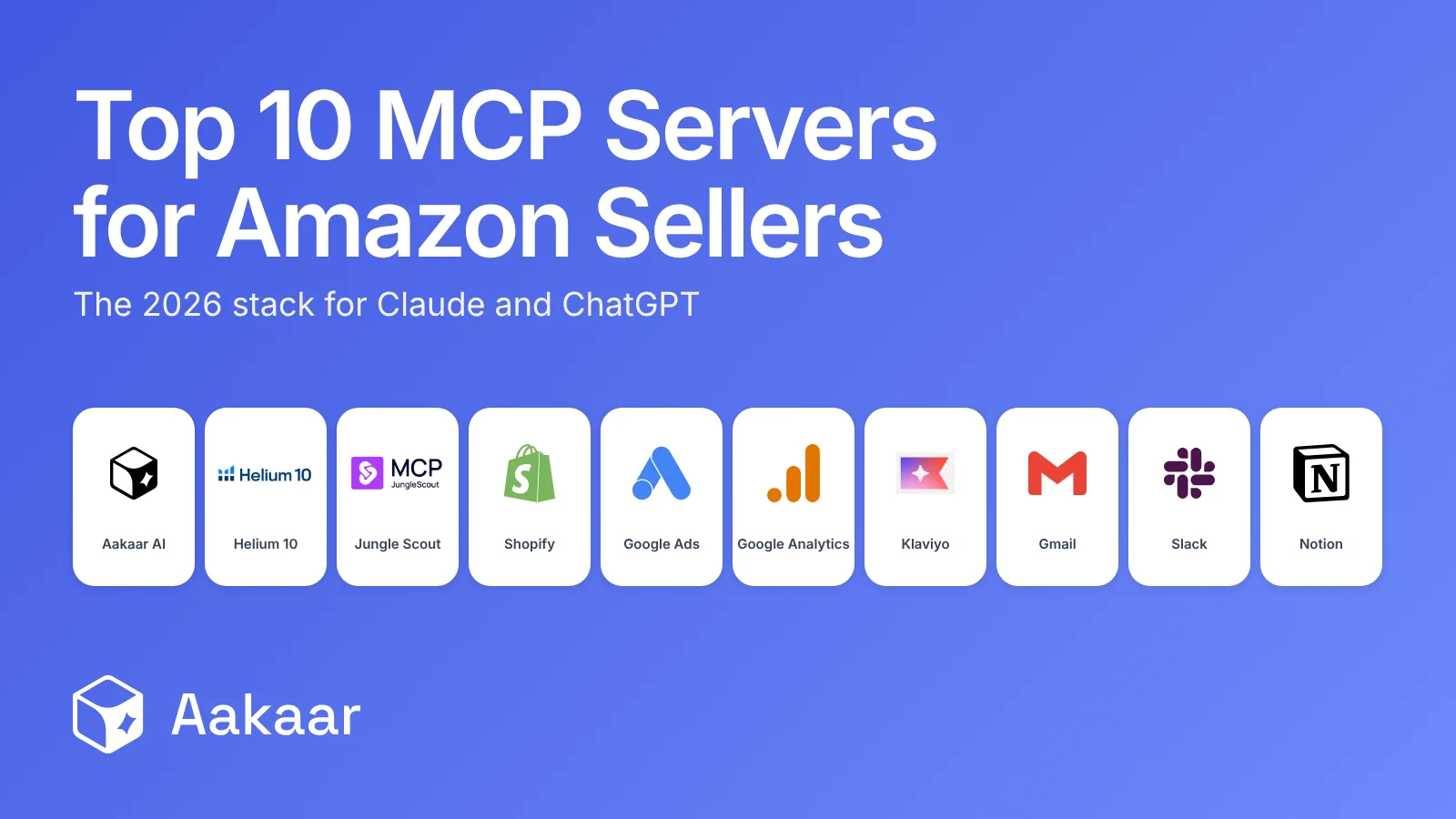
If you want the full background on how this works, read our guide to the top 10 Amazon seller MCP servers, or see how Aakaar works from Claude or ChatGPT in our guide to using Claude or ChatGPT to manage Amazon ads.
What you need before you start
- A Claude plan that supports custom connectors
- An active Amazon seller account
- An Aakaar AI account (the 14-day free trial works, no credit card needed)
How to connect Claude to Seller Central: step by step
Step 1: Copy the Aakaar MCP server URL. The URL is https://mcp.aakaarai.com/mcp. The same URL works for every AI assistant.
Step 2: Open the connector menu in Claude. In Claude, click the add (+) icon, hover over Add connector, and select Add custom connector.
Step 3: Paste the URL and name the connector. Paste the URL into the Server URL field, give it a name such as "Aakaar AI", and click Continue.
Step 4: Review the settings and add it. Check the connector settings, click Add, then finish signing in to Aakaar in the pop-up window.
Step 5: Connect your Amazon account. Sign-in uses OAuth, the same kind of permission screen you see when you authorize any app to access your Amazon account. You grant access once, and you do not paste any API keys.
Step 6: Ask your first question. The connector is now available in every chat. Start with: "Give me a health check of my Amazon account for the last 30 days."
Prefer a walkthrough you can watch? Our short setup video, "How to connect Amazon seller data to Claude with MCP", is on the Aakaar MCP page.
What Claude can see once you are connected
The Aakaar connector brings your Seller Central data and your ad data into one conversation:
- Seller Central: orders, fees, inventory, listings and pricing
- Amazon Ads: Sponsored Products, Sponsored Brands, Sponsored Display and DSP
- Brand Analytics: search query performance and search terms
- Amazon Marketing Cloud (AMC), when an AMC instance is linked to your Amazon Ads account
That means one question can mix sources. For example: "Which products have rising ad spend but falling profit once fees are included?"
6 prompts to try first
- "Give me a health check of my Amazon account for the last 30 days."
- "Which ASINs are profitable after ad spend, fees and returns?"
- "Which products are running low on inventory, and which of those are running ads?"
- "What changed in my orders this week compared with last week?"
- "Show me my top search terms from Brand Analytics and flag the ones I am not advertising on."
- "Compare my last two months and tell me what moved the most."
Is it safe to give Claude access to Seller Central?
Three things matter here.
- Permission, not passwords. You authorize through OAuth. You never share your Seller Central password or paste keys into a chat.
- Approval before changes. Anything that edits your account, such as bids, budgets, negative keywords, campaigns or listings, needs your approval first.
- A record of actions. Changes that are made are logged, so you can see what happened and when.
A good habit is to start with read-only questions for the first week. Once you trust the answers, move on to changes you approve one at a time.
Amazon also has its own rules for how third-party apps get access to seller data. You can read how that authorization works in Amazon's Selling Partner API authorization documentation.
Why not just use Amazon's own MCP server?
Amazon has released its own Amazon Ads MCP server, but it is built for advertising and it is open beta for Amazon Ads partners with active API credentials. Most individual sellers and small agencies cannot simply switch it on.
An all-in-one connector like Aakaar covers ads and Seller Central data together, so you do not stitch tools together yourself. We compared the options in detail in Amazon seller MCP vs Aakaar AI MCP.
Troubleshooting
- The sign-in window did not appear. Check that your browser is not blocking pop-ups, then add the connector again.
- Claude does not seem to use the connector. Open the connector list and confirm Aakaar AI is switched on for the chat, then ask a question that clearly needs account data.
- Data looks incomplete. Confirm you signed in with the account that owns your Amazon data, and check which marketplace you are asking about.
- Still stuck. Visit aakaarai.com/support and we will help.
FAQ
Can Claude connect to Amazon Seller Central?
Do I need an API key or any code?
Can Claude change my listings or ad budgets?
Does this work with ChatGPT too?
How much does it cost to try?
Try it on your own account
Connect Claude to your Seller Central data today. Start a 14-day free trial of the Aakaar Amazon seller MCP server, or book a demo and we will set it up with you.